Identifying Older Ethernet Adapters on Debian
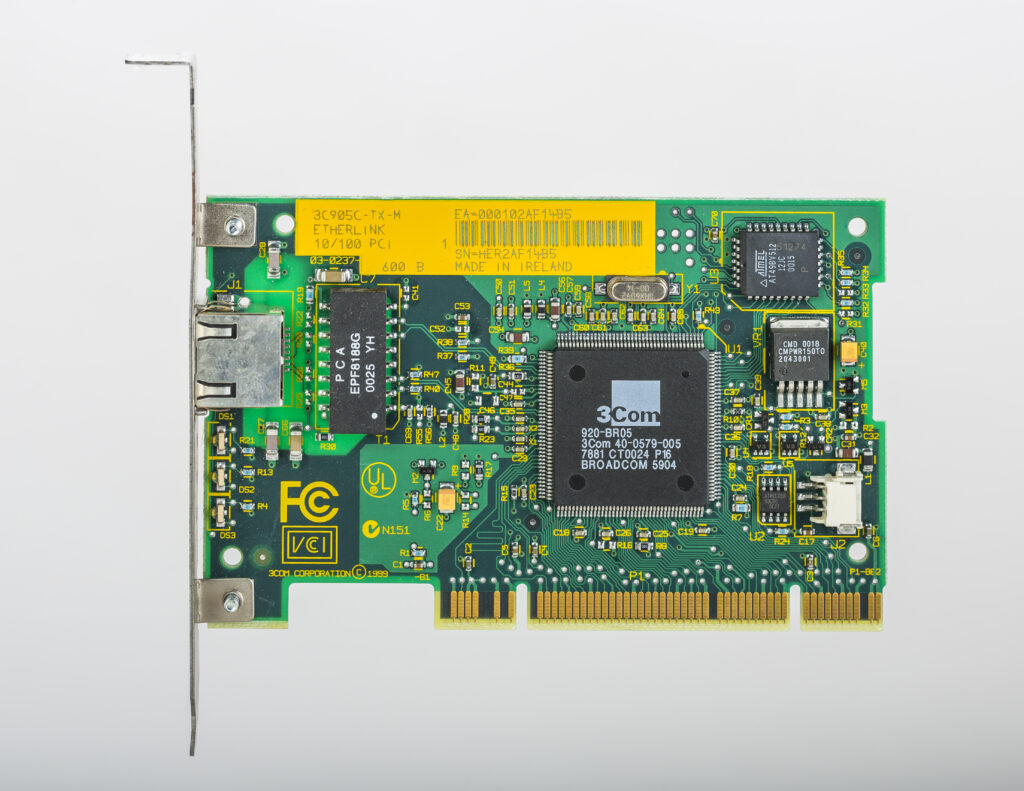
Identify the issue
Older Debian systems often used separate PCI or earlier Ethernet cards. When reusing such hardware, the adapter model and chipset matter more than its brand. Record the exact card and its connector type; then inspect whether the running kernel recognizes it. On PCI systems, lspci can identify the controller when the pciutils package is available.
Check the system
A detected adapter does not necessarily have a working link. Check the cable, the connected switch and the link indicators. Use ip link to inspect the interfaces visible to the system. On older hardware, speed and duplex negotiation may differ from newer equipment. Avoid forcing settings until the supported modes of both endpoints are known.
Document a reliable approach
If the adapter is unsupported, check whether the relevant driver is included in your Debian kernel and whether required firmware is available for that release. Test on a local trusted network before exposing a newly configured computer to the internet. A short record of device identifiers, driver name and connection behavior is valuable when asking for help.
For a related practical guide, read network interface configuration. Browse more articles on the Debian Planet homepage.